



$8.49
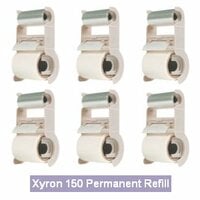
$50.99 $47.99
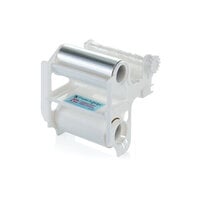
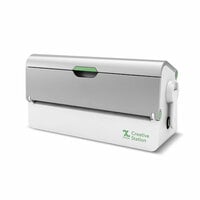
$139.59
$14.49
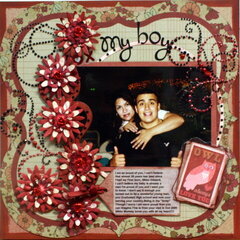
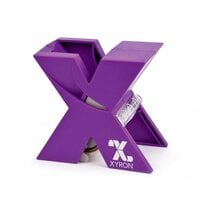
Create your own stickers by feeding a die cut or other item into the 2.5" wide opening of the Xyron 250 Create-a-Sticker Maker. Turn the handle and trim for instant embellishments. The Xyron 250 is portable, lightweight, refillable, and easy to use. It requires no heat, electricity or batteries. The Xyron 250 includes a 2.5" x 20' permanent adhesive cartridge and an idea book.

It was probably 4 or 5 years ago when I first stumbled upon a Xyron Create-a-Sticker 250 for sale in my local Wal*Mart. I bought it wondering how I would ever end up using it. Little did I know that I would soon find my life impossible to live without it. And not just for scrapbooking. I have used it for all kinds of crafts, some of which I will talk about in this article.
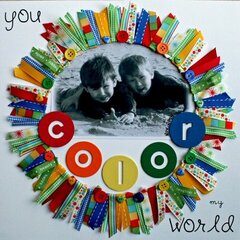
I use this is for applying ribbon to a layout or other project where you want the ribbon to lay completely flat. Before I got my Xyron I tried ribbon glue, which always bled through my sheer ribbons and was a sticky mess. I also tried regular adhesive runner tapes, which are too wide for some skinny ribbons and didn't hold very well. Feeding your ribbon through the Xyron Create-a-Sticker makes it perfect every time.
I also use this to apply diecut alphabets. This machine is perfection for this task. After cutting out letters with my Cricut, I simply feed them through the Sticker Maker and they adhere perfectly. No trying to glue it, and no corners peel up.
When my daughter was potty training I scoured the store for just the right stickers to fill her reward chart with. She declined every suggestion I made and finally I said, Honey, what kind of sticker would you like? And she answered A sticker of me. I immediately went home, printed pictures of her face, cut them into small 1 inch squares and sent them through the Xyron. She was completely thrilled and was potty trained in a week flat.
I'm sure by now it's obvious that I am completely smitten with this product. I could not live without it!
Used in this project: Milestone

I have this little goodie in two sizes. You could get by with one if it were this larger one, but it's handy to have both. If you ever work with ribbon, you absolutely need this. It will turn your project with the crooked ribbon placement, the glue peeking out and the frayed ribbon edges into a professional looking project you can be proud of. My new favorite way to use it is to run a cardstock embellishment or a pattern cut or punched from cardstock through the little gadget and use the resulting goodie as a seal on an envelope flap. More wonders await--I just have to put on my thinking cap and figure out what they are :-)
I can't get over how easy the Xyron Create A Sticker Maker is. I've spent the last three years attempting to get adhesive on very small embellishments that I have made myself. I have found this to be a very taxing process. I get adhesive where I don't want it, and I fail to get adhesive where I do want it.
The Create a Sticker Maker even takes in very small, fine-detailed paper items. If I can cut it small, the Create a Sticker Maker can get adhesive on it. Completely!
Now I don't have embellishments coming off the page, and I don't have adhesive showing or stuck to things I didn't want to include.
And it is so fast and easy to use! I feel so empowered!
I just received my Xyron from this site and I love it! It is terrific, particularly for small items that I want to adhere to a scrapbook page. It's also quicker than adhering little stickies to each little item and then applying them to the scrapbook page. I just line up everything that I know I am going to be adhering and crank it through the Xyron; what comes out the other end is a "paper" with the items stuck to it. When I'm ready to use the little (or larger) item, I just take it off the Xyron paper and stick it to the scrapbook layout - no stopping to mess around with glue, glue tabs, etc. I am now looking for a sale for the 5" Xyron because I love the 2.5" so much!

i just got one of these from my sister-in-law and i am absolutely in love with it! no more tangling with adhisives, how am i gonna make this small enough to fit on the back of this, etc... this works like a dream! i'm kind of a make it work kind of girl who's fairly new to the scrapbooking scene and i live in ne wyork, so i don't have room for a ton of tools and cool stuff- i have to keep it minimal. this is small enough to travel around with and so convenient. the cartridge change was a snap. highly recommend it!!
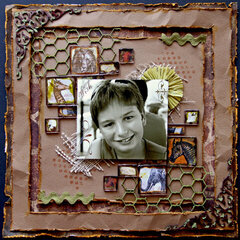
Used in this project: brotherly love

I got this bad boy for a project that involves many, many movie stubs. I'm very frugal when it comes to purchasing adhesives and when I saw this I just had to buy it. It's easy to use, easy to re-fill, and so much fun to share. There's no cutting because it removes the "waste" from around the item to become sticky, hence the name STICKER MAKER. True to it's title I would recommend this product to anyone who can't handle all the sticky dots and glue sticks.
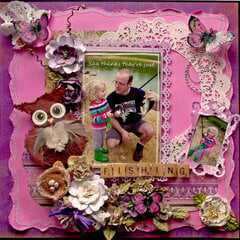
Used in this project: Simple Tag

Great product!!!
Now-in a beautiful white and aqua design!!!
When I got mine,it looked differently from this picture,and my first thought was"I got the wrong product...."
I was wrong!!!!
It was the same great tool,with new,beautiful design,that the owner will be pleased to display on the shelf in her craft room...not to mention great use of it!!!

I absolutely love all of my Xyron products, but I use this allllll the time. I love being able to run die cuts through, small pictures. One of my favorite uses is the ever difficult VELLUM!
Edge to edge coverage of virtually invisible adhesive so nothing shows!
Used in this project: Holiday Rehearsal (rt)

I received this as a gift last year and honestly wish I had tried it sooner. What a lifesaver when you're trying to adhere those little die cut shapes and alphas especially!! Of course it works for everything else you can fit in it, too.
The replacements come in Permanent and Repositionable and they are sooo easy to replace!! Just slide the old one out and pop the new one in.
This machine is always out when I'm scrapping.
Used in this project: Margaritaville - Right Side

I am a huge fan of the ZYRON adhesives. If you have any kind of alpha dies, small project or big project you need to have a ZYRON or maybe 2 or maybe more. So easy to use, no mess, easy to replace the cartridges and perfect size for small things. So much easier than fussing with messy wet adhesives. I like making mini scrapbooks. Check out my gallery for all my scrapbook projects. I use my ZYRON for all of them.
Used in this project: ~*~ Cruise to Alaska ~*~ version 2
You must be signed in to comment. Please click here to sign in.
 Why is it impossible to fix a jam in this machine? I got one for Christmas, it was jammed before I got it out of the box and now I am wasting adhesive trying to fix it becuause the instructions that come with it are useless!
By:
flutterbye0419
(31-Dec-16)
Why is it impossible to fix a jam in this machine? I got one for Christmas, it was jammed before I got it out of the box and now I am wasting adhesive trying to fix it becuause the instructions that come with it are useless!
By:
flutterbye0419
(31-Dec-16)
 Thanks. It appears someone bought this machine from a big box store and messed up the cartridge before returning it to the store. I will likely be having to purchase a new cartridge and try again. Just frustrated with it right now.
By: flutterbye0419
(31-Dec-16)
Comes just the sticker maker or is included also a refill? (Repositionable or permanent)
By:
veronica8579
(19-Jan-16)
Thanks. It appears someone bought this machine from a big box store and messed up the cartridge before returning it to the store. I will likely be having to purchase a new cartridge and try again. Just frustrated with it right now.
By: flutterbye0419
(31-Dec-16)
Comes just the sticker maker or is included also a refill? (Repositionable or permanent)
By:
veronica8579
(19-Jan-16)
 Can someone tell me the exact size of the whole box and the weight of it? As I'm staying outside of US, there will be postage imposed by weight and size. Thanks in advance!
By:
User
(25-Jul-15)
Its' size is approximately 22x19x15cm and it weights 700 gr. Hope it is helpful!!!
By: toniakortzi
(28-Jul-15)
Can someone tell me the exact size of the whole box and the weight of it? As I'm staying outside of US, there will be postage imposed by weight and size. Thanks in advance!
By:
User
(25-Jul-15)
Its' size is approximately 22x19x15cm and it weights 700 gr. Hope it is helpful!!!
By: toniakortzi
(28-Jul-15)